RTL (Right-to-Left) Support for React Native
Locofy Classic supports RTL layouts for React Native, making it easier to build apps that work seamlessly in both LTR and RTL languages.
Enabling RTL Layout
RTL support can be enabled directly from Code Settings.
Steps:
- Go to Code Settings in the plugin or Builder.

- Enable RTL Layout Support.
Once enabled, Locofy generates code that is designed to switch cleanly between LTR and RTL layouts.
How Locofy Handles RTL Layouts
When RTL is enabled:
- Locofy automatically adds RTL-aware properties to layout styles.
- Flex-based layouts are generated in a way that makes switching between
LTRandRTLeasier for developers. - This reduces the need for manual layout rewrites when supporting RTL languages.
This approach ensures:
- One shared layout logic for both directions
- Minimal custom code on the developer side
- Cleaner and more maintainable React Native code
Flex Direction Behavior
With RTL enabled, Locofy adds direction-aware handling for flexDirection so layouts can adapt based on the app’s layout direction.
This allows developers to:
- Toggle layout direction at runtime
- Support both LTR and RTL without duplicating components
Handling Icons in RTL
Icons often need to be mirrored in RTL layouts. Locofy provides two ways to handle this.
Option 1: Using :rtl in Figma Layer Names
You can add :rtl to the Figma layer name of an icon.
Example:
arrow-right:rtlThis tells Locofy that:
- The icon should be flipped in RTL layouts
- No additional configuration is needed in code
Option 2: Tagging Icons as Images and Enabling RTL
Alternatively, you can:
- Tag the icon layer as an Image in Locofy
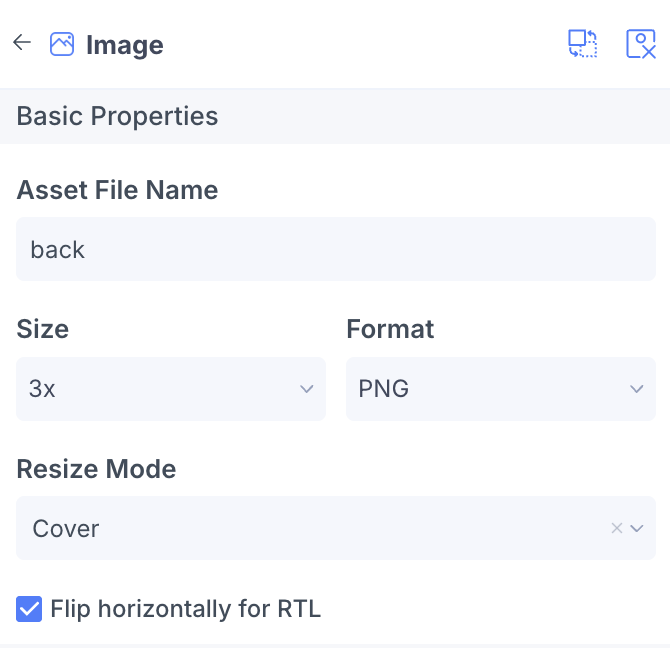
- Enable Flip horizontally for RTL for that image
This is useful when:
- The icon is exported as an image asset
- You want explicit control over RTL behavior

Best Practices
- Use
:rtlconsistently for directional icons (arrows, chevrons, navigation icons) - Enable RTL early in development to avoid layout refactors later
- The language file should be handled by the developers after code export.
This makes building multilingual, RTL-ready React Native apps faster and easier with Locofy Classic.