

























Book a DemoBooking Calendar Icon
Enterprise-grade AI
Convert Figma to Next.js:
Get pixel perfect, high-quality code with Large Design Models
Generate responsive, component-based Next.js code and add functionality in VS code, Github or Cursor
Book a DemoBooking Calendar Icon
Trusted by Global Brands & Enterprises
https://static.locofy.ai/logos/enterprises/infosys.pnghttps://static.locofy.ai/logos/enterprises/deloitte.pnghttps://static.locofy.ai/logos/enterprises/work-and-co.pnghttps://static.locofy.ai/logos/enterprises/toyota.pnghttps://static.locofy.ai/logos/enterprises/nttdata.pnghttps://static.locofy.ai/logos/enterprises/tcs.pnghttps://static.locofy.ai/logos/enterprises/hcl-software.pnghttps://static.locofy.ai/logos/enterprises/bupa.pnghttps://static.locofy.ai/logos/enterprises/jazeera.pnghttps://static.locofy.ai/logos/enterprises/nelnet.pnghttps://static.locofy.ai/logos/enterprises/rakuten.pnghttps://static.locofy.ai/logos/enterprises/mindsprint.pnghttps://static.locofy.ai/logos/enterprises/amazon.pnghttps://static.locofy.ai/logos/enterprises/cec.png
https://static.locofy.ai/logos/enterprises/capgemini.pnghttps://static.locofy.ai/logos/enterprises/rocketcode.pnghttps://static.locofy.ai/logos/enterprises/wipro.pnghttps://static.locofy.ai/logos/enterprises/instudio.pnghttps://static.locofy.ai/logos/enterprises/gamersociety.pnghttps://static.locofy.ai/logos/enterprises/edgeverve-v2.pnghttps://static.locofy.ai/logos/enterprises/toyotasystems.pnghttps://static.locofy.ai/logos/enterprises/hitachi.pnghttps://static.locofy.ai/logos/enterprises/itradenetwork.pnghttps://static.locofy.ai/logos/enterprises/bfi.pnghttps://static.locofy.ai/logos/enterprises/axismaxlifeinsurance.pnghttps://static.locofy.ai/logos/enterprises/property-finder.pnghttps://static.locofy.ai/logos/enterprises/nakashima-wellxai.png
https://static.locofy.ai/logos/enterprises/infosys.pnghttps://static.locofy.ai/logos/enterprises/deloitte.pnghttps://static.locofy.ai/logos/enterprises/work-and-co.pnghttps://static.locofy.ai/logos/enterprises/toyota.pnghttps://static.locofy.ai/logos/enterprises/nttdata.pnghttps://static.locofy.ai/logos/enterprises/tcs.pnghttps://static.locofy.ai/logos/enterprises/hcl-software.pnghttps://static.locofy.ai/logos/enterprises/bupa.pnghttps://static.locofy.ai/logos/enterprises/jazeera.pnghttps://static.locofy.ai/logos/enterprises/nelnet.pnghttps://static.locofy.ai/logos/enterprises/rakuten.pnghttps://static.locofy.ai/logos/enterprises/mindsprint.pnghttps://static.locofy.ai/logos/enterprises/amazon.pnghttps://static.locofy.ai/logos/enterprises/cec.png
https://static.locofy.ai/logos/enterprises/capgemini.pnghttps://static.locofy.ai/logos/enterprises/rocketcode.pnghttps://static.locofy.ai/logos/enterprises/wipro.pnghttps://static.locofy.ai/logos/enterprises/instudio.pnghttps://static.locofy.ai/logos/enterprises/gamersociety.pnghttps://static.locofy.ai/logos/enterprises/edgeverve-v2.pnghttps://static.locofy.ai/logos/enterprises/toyotasystems.pnghttps://static.locofy.ai/logos/enterprises/hitachi.pnghttps://static.locofy.ai/logos/enterprises/itradenetwork.pnghttps://static.locofy.ai/logos/enterprises/bfi.pnghttps://static.locofy.ai/logos/enterprises/axismaxlifeinsurance.pnghttps://static.locofy.ai/logos/enterprises/property-finder.pnghttps://static.locofy.ai/logos/enterprises/nakashima-wellxai.png
Enterprise-grade AI

ISO

Certified

Soc2

Certified

SaaS Shared Cloud

Dedicated

Private Cloud

Self-Hosted /

On-Premise

SAML SSO

Authentication

Last Updated: 1 December 2025
Written By: Rachel Yeo, Growth Consultant at Locofy
Reviewed By:
Honey Mittal, CEO at Locofy
Sohaib Muhammad, Chief Architect at Locofy

Convert your Figma designs to Next.js code in a flash

LocoAI leverages our in-house Large Design Models (LDMs) trained on millions of designs and products to convert your Figma designs into a high-quality, developer-friendly code in a flash.
Figma Icon
Design in Figma
Locofy fits right into your design workflow. Design on Figma with the best design practices in mind.

Our plugin integrates seamlessly with Figma, allowing you to convert your designs to code right on the platform.

Prototype Icon
Real-time Preview
Ideal for presenting to stakeholders, you can get real-time previews running on actual code with Locofy. You can also fine-tune, customise, and revise the generated code to match your requirements.
Next.js Code Icon
Get Next.js Code!
Locofy generates component-based Next.js code and lets you add dynamic content through data binding, allowing easier integration with backend API and data sources.
Video Thumbnail
Figma Logo

What is Figma?

Figma is a collaborative interface design tool known for its user-friendly interface and real-time features. It's the industry standard for creating pixel-perfect designs, components, and prototypes that are later converted to actual websites or apps through coding.

Next.js Logo

What is Next.js?

Next.js is a powerful React framework that extends React's capabilities by adding crucial features like Server-Side Rendering (SSR) and Static Site Generation (SSG).

This makes it the ideal choice for building high-performance, SEO-friendly, and full-stack web applications.

Key Features: Why use Locofy to convert Figma to Next.js code?
Large Language Models (LLMs) like ChatGPT and Gemini cannot understand Figma designs, so we built specialised models that do.

1. Convert figma frames into functioning Next.js features

Locofy instantly converts your multi-screen Figma user flows into modular, component-based Next.js features.

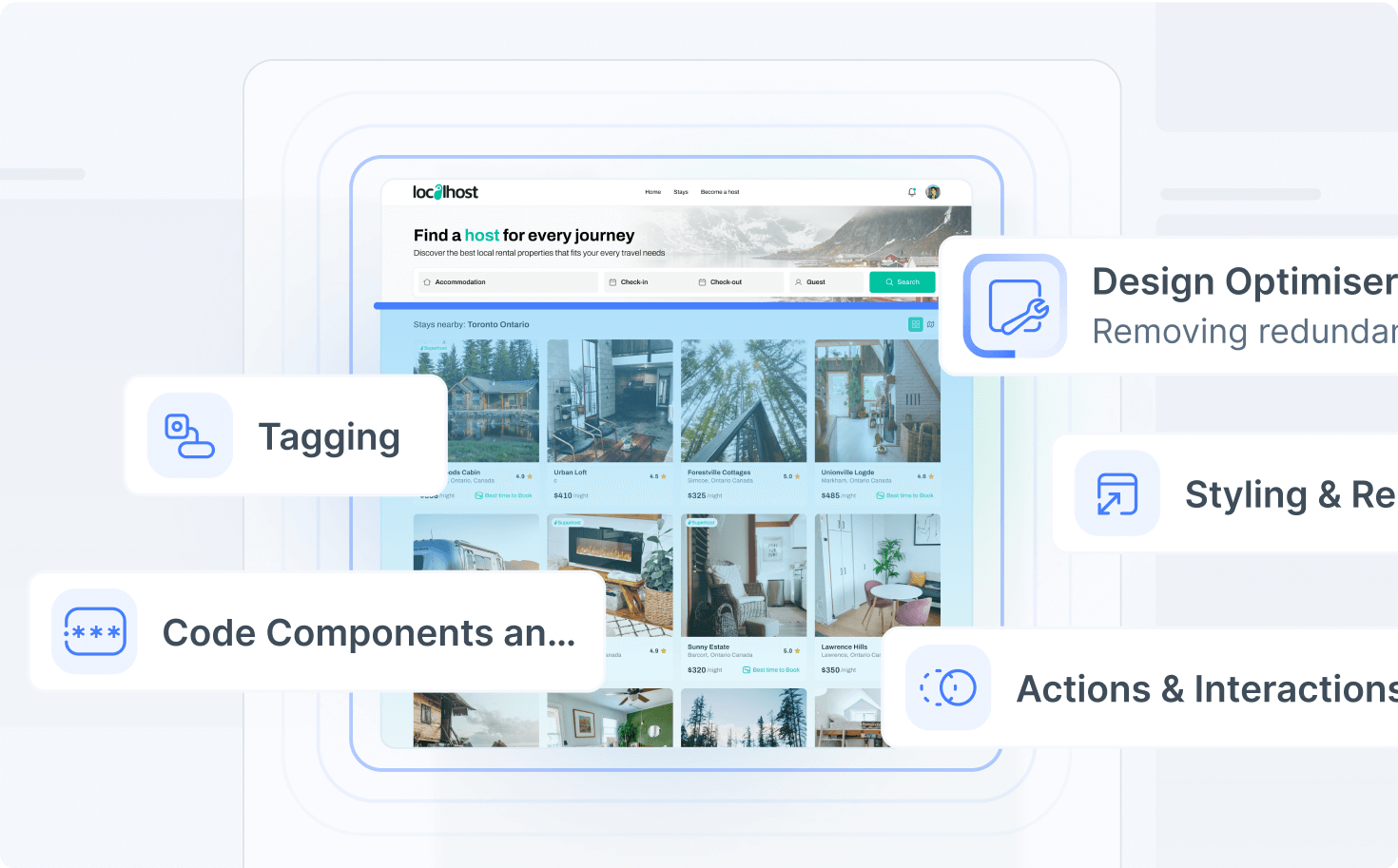
It intelligently recognizes the relationships and connections between your frames, ensuring a highly functional output that preserves your intended interactions and creates clickable user flows.

This process automatically generates developer-friendly code, converting static layers to interactive elements while letting you configure your preferred styling approach.
Design with Ease & Confidence
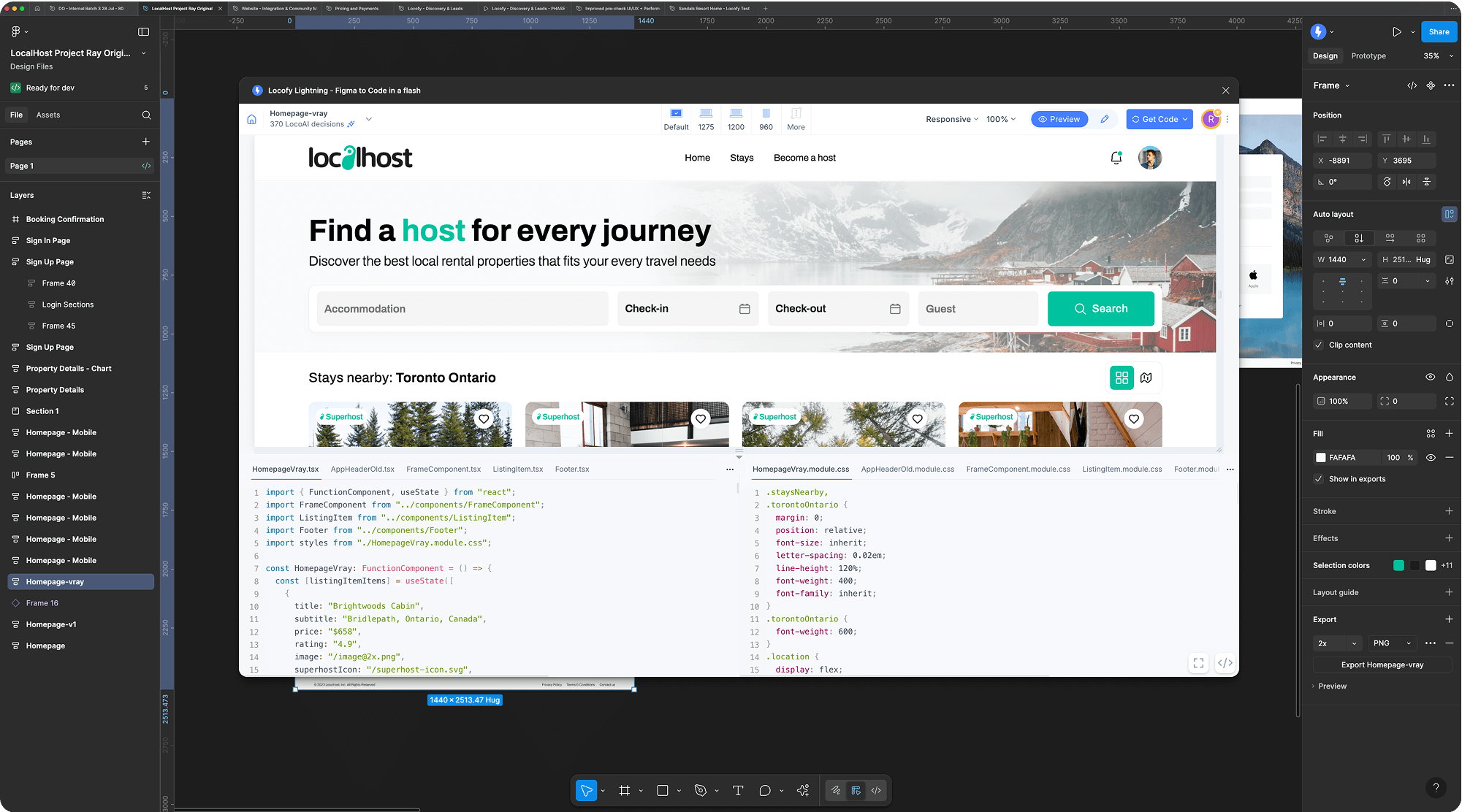
Our preview renders in seconds, so you can design with real-time feedback and visualise exactly how interactions look and feel. Nothing is left to imagination.

2. Visually edit Next.js apps with precision

Ensure your Next.js application perfectly matches your high-fidelity designs with Locofy.

Utilize our Real-time Preview, which runs on actual code, to instantly review LocoAI's decisions and make precision CSS adjustments via the Inspect tab.

Because the preview is interactive and rendered from the actual components, you can confirm all styling, hover, and click effects look exactly as envisioned before committing changes, with smart GitHub merging to keep design and code in sync.
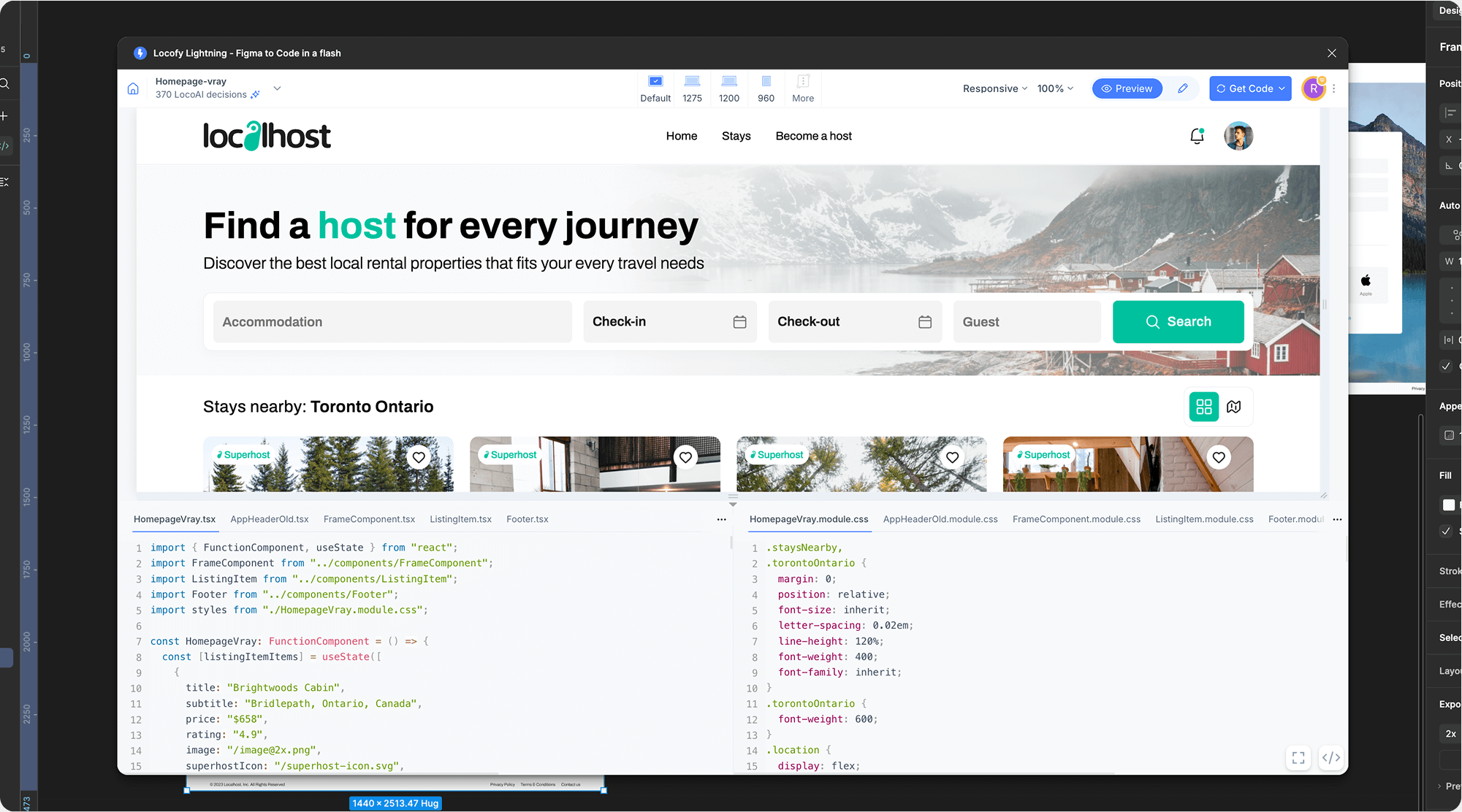
Interactive & Responsive Preview

3. Accelerate your development time

Locofy empowers developers to create code 10X faster from design. Here's how:
Create Reusable Components with Props
Creating reusable components with props

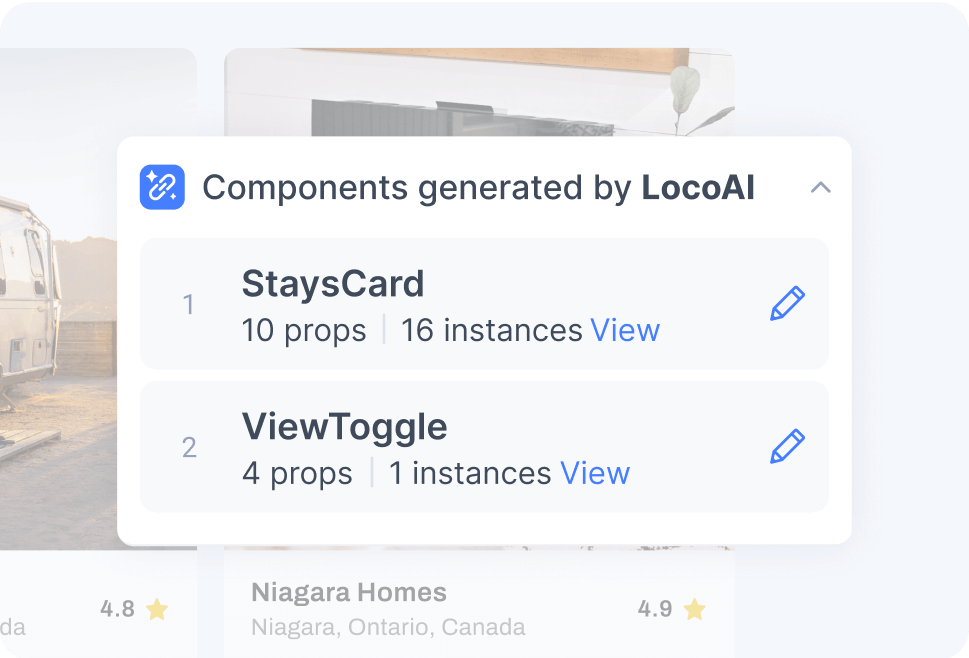
LocoAI scans your design files and splits the code into reusable components with props, enabling you to quickly generate modular code.

Similarly styled elements are automatically detected and combined, giving you a cleaner Next.js code.
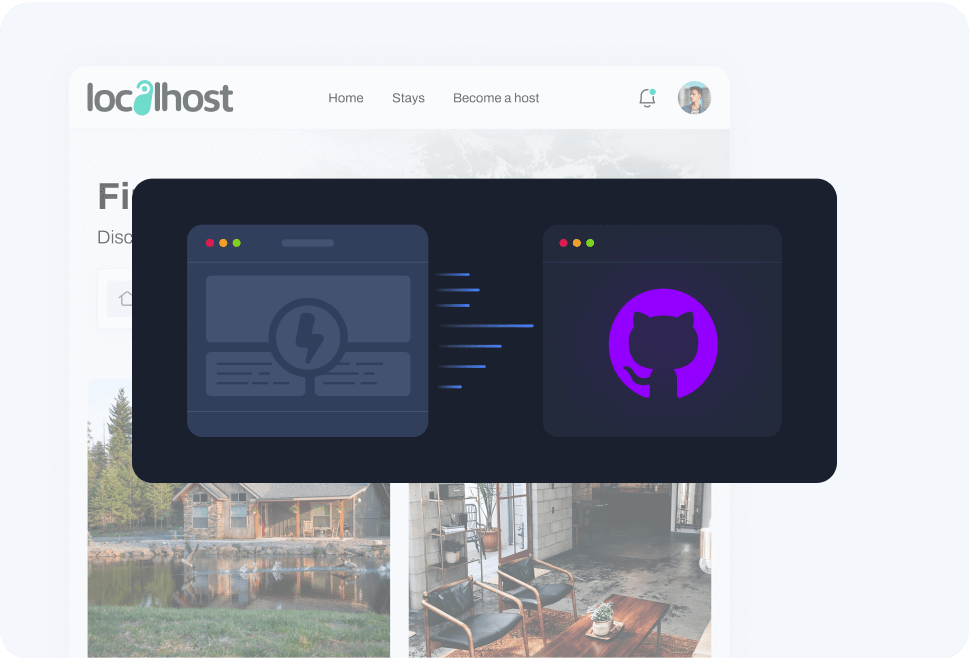
GitHub
Keep your designs and code in sync

You can make changes on the design and code simultaneously. With our smart GitHub code merge, you can easily resolve conflicts and changes, and keep your designs and code in sync with a single source of truth.
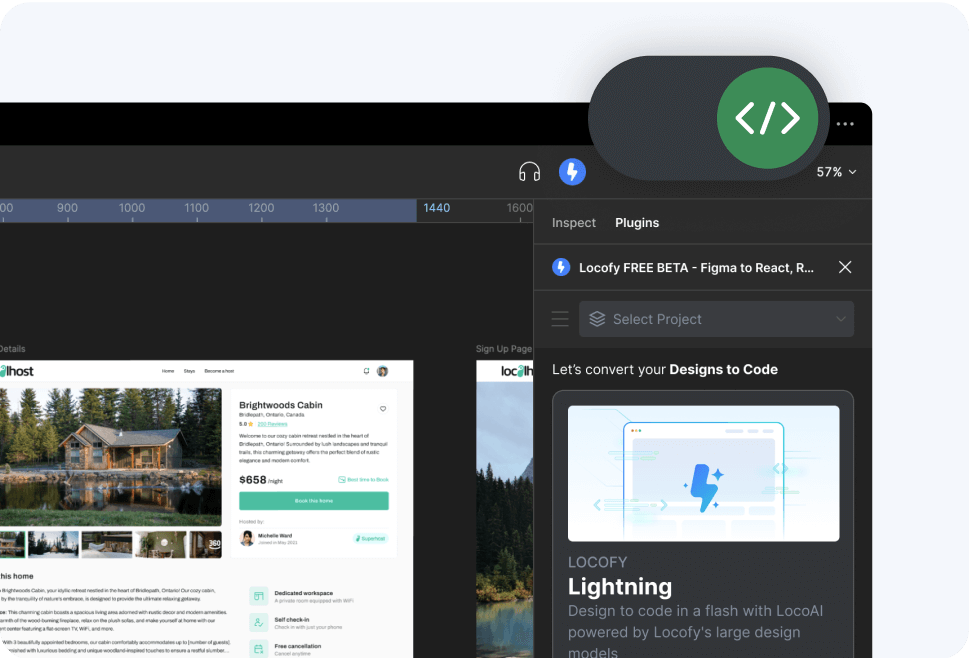
Figma Dev Mode
Available in Dev Mode
Locofy lets you switch from design to live, working code preview instantly within Figma's Dev Mode, making it easy for you to check the code and how it adapts to different screens.

4. Your projects are protected with enterprise-grade security

Locofy is ISO 27001 Certified and Soc2 Certified, addressing critical enterprise requirements for security and compliance.

We also do not use customer data for training its large design models. Users retain full ownership of all generated code.

How to Convert Figma to Next.js Code
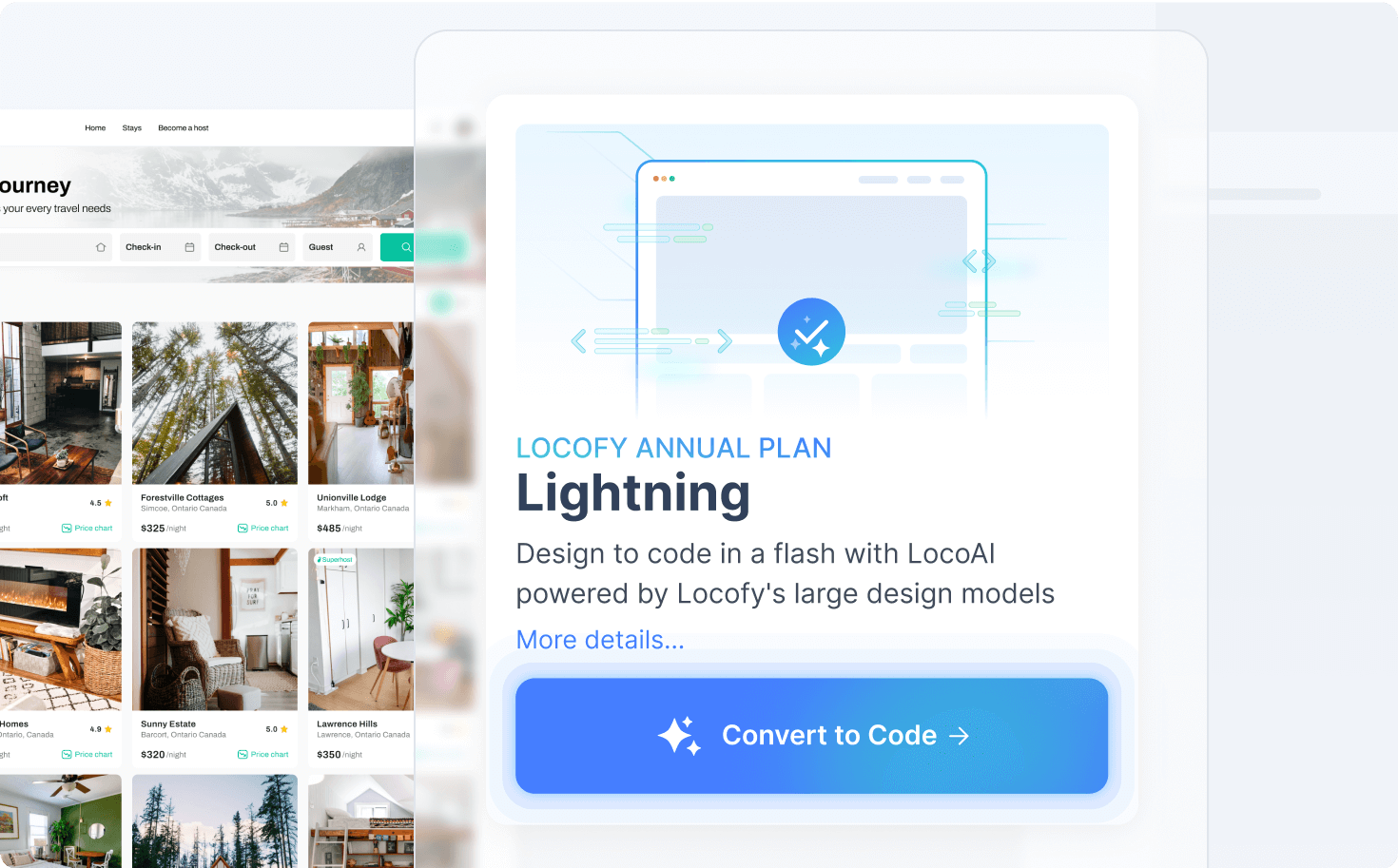
Locofy streamlines the design-to-code process into a few simple steps, integrating directly into your existing Figma and development tools.
Locofy Plugin Home

Design in Figma

Design your project in Figma with design best practices. Locofy is a Figma plugin that integrates seamlessly with your design file, and is fully compatible with Figma's Dev Mode.
Locofy Lightning Running

Convert to Next.js Code with Locofy Lightning

  1. Launch the Locofy Plugin in Figma.
  2. Create a project with Next.js.
  3. LocoAI instantly optimises the design structure, converts static layers to interactive elements, and generates a live, interactive preview.
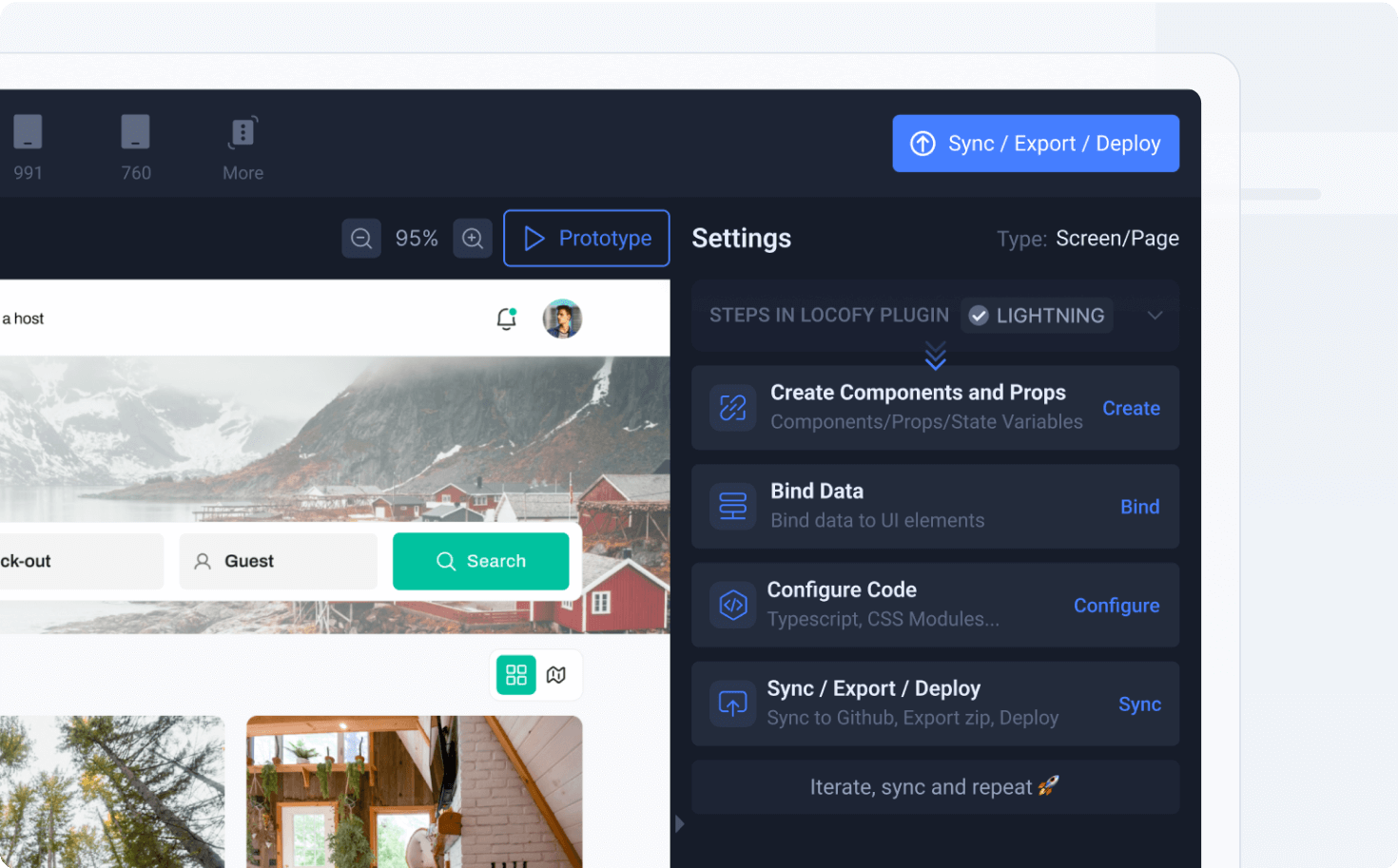
Sync to Builder
Refine and Customise your Next.js Code in Locofy Builder
  1. Sync the generated code to the Locofy Builder, where you can manage the project file structure and configure code settings.
  2. Fine-tune the generated code by reviewing and modifying the decisions made by LocoAI in the Edit Mode. The preview and code are updated instantly.
  3. Set up props and easily bind dynamic content to integrate with a headless CMS or external API seamlessly.
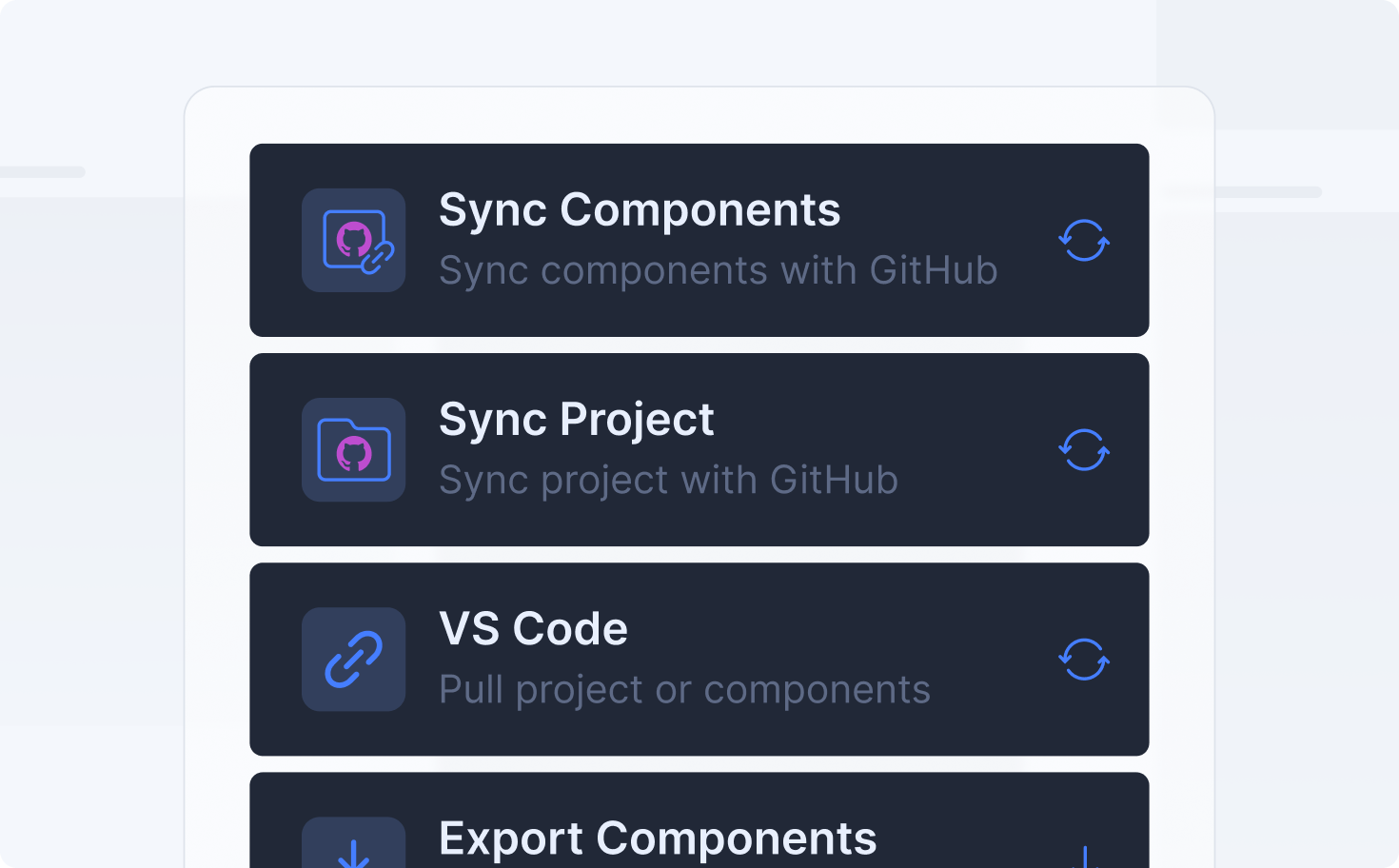
Export and Extend Your Next.js Code
Once satisfied, you can export the final Next.js code in several ways:
  • Direct Export: Download the code instantly as a ZIP file.
  • Sync to GitHub: Push the generated code directly to your project repositories.
  • Pull into VS Code: Pull the code directly into your development environment using the Locofy VS Code extension.

Video: Convert Figma to Next.js with Locofy

Check out our Youtube video for a quick walkthrough on how you can convert Figma designs to Next.js code with Locofy

Ready to see your design come to life in code?
Book a DemoBooking Calendar Icon

Figma to Next.js FAQs

Which CSS styling (Tailwind, CSS Modules, etc.) is generated for the Next.js project output?
Locofy supports diverse styling methods, including Tailwind, CSS Modules, CSS in JS, Styled components, inline styles, and Sass.

Users can choose between px and rem units and import custom files like a global stylesheet or Tailwind config. All styling options are easily configurable within the plugin and builder.
Does the conversion automatically set up Next.js routing based on my Figma structure?
Yes, the structure of your Figma frames or pages is crucial for conversion. LocoAI optimizes the structure to facilitate setting up Next.js file-based routing.

This output can be further organized and verified within the Locofy Builder, ensuring your project's component files align correctly with your application's routes.
Can the generated code support both SSR and SSG data fetching patterns in Next.js?
Absolutely. Locofy provides the clean, semantic presentation layer (the React components). Since the code is clean and fully extensible, your development team can easily integrate any necessary Next.js data fetching patterns—whether it's Server-Side Rendering (SSR), Static Site Generation (SSG), or Client-Side Rendering—into the exported project.

What is the process for merging design updates without breaking manual code changes on the Next.js side?
Locofy solves this critical workflow challenge using its smart GitHub code merge feature. This intelligent system tracks manual code changes made by developers within your existing Next.js codebase.

When new design updates are synced from Figma, the tool helps merge the visual changes while safeguarding your developer-added logic and state management.
How easy is it to connect the generated Next.js components to a CMS or API for dynamic data?
It's easy to connect the generated Next.js components to a CMS or API. After your design is converted, you can use the Locofy Builder to easily create your Next.js components and set up props (properties) that match your CMS or API specifications. Once you export the code, you can then quickly bind the component values to the real data fetched from your headless CMS or external API.
What is the difference between Next.js and React?
React is a JavaScript library for building user interfaces. Next.js is a framework built on top of React, adding essential features like SSR, SSG, and API routes to create full-stack applications.
When should I use Next.js instead of React?
Use Next.js if you need features like server-side rendering and static site generation. It is ideal for building dynamic web applications. Use React for simpler, client-side web apps or Single-Page Applications (SPAs).